Feature

Kill on Sight Contracts

Step-by-step walkthrough of how this Crusader Cloud feature works.

1

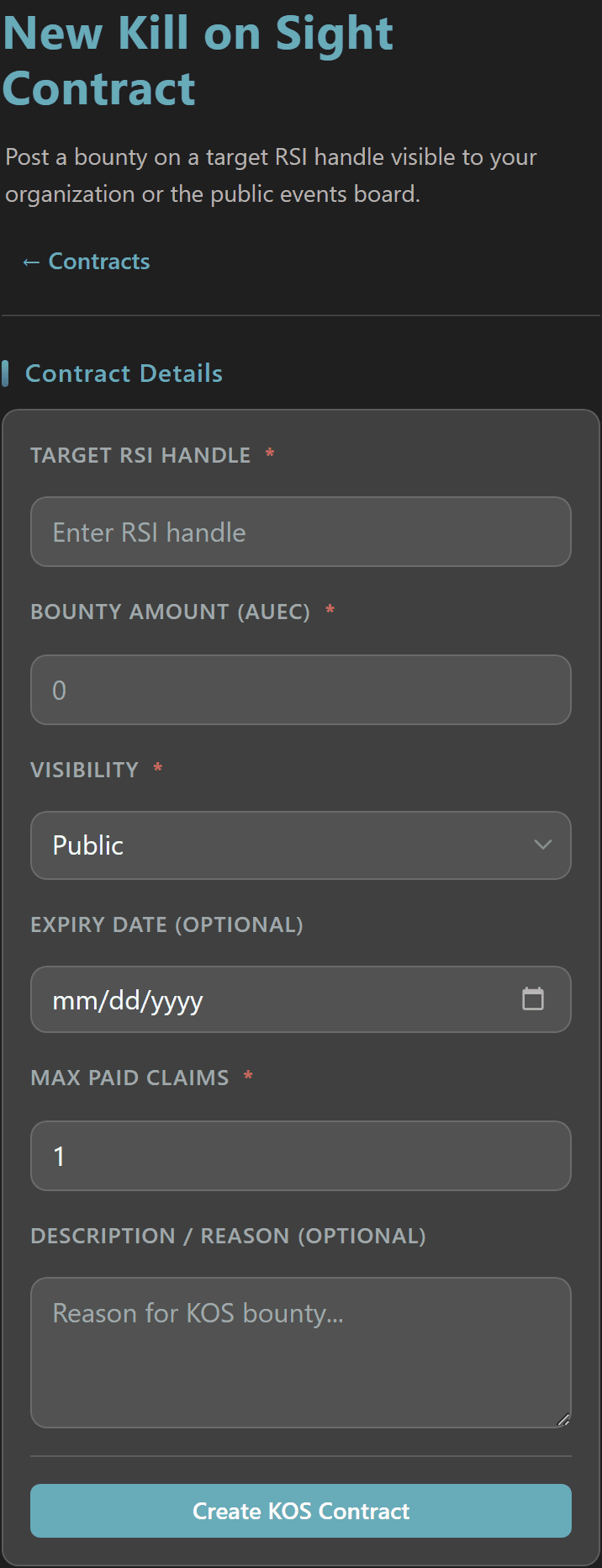
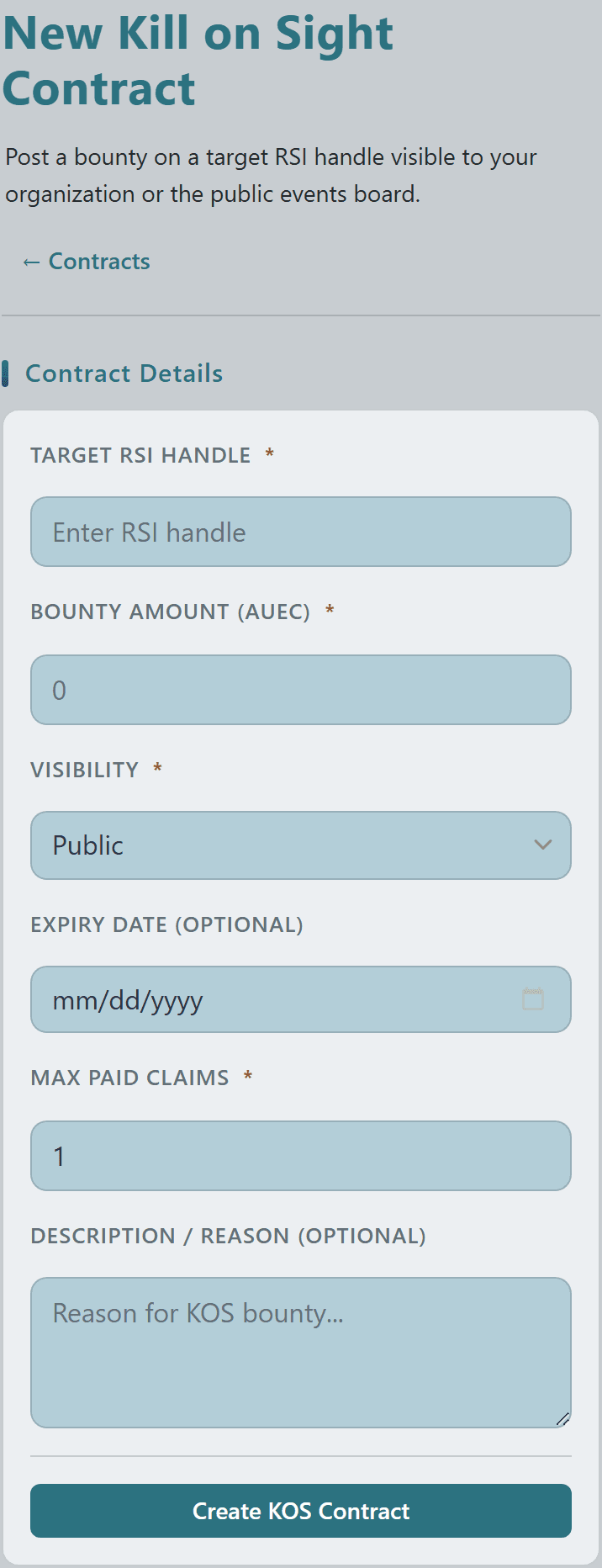
Post a Kill on Sight contract targeting a specific RSI player by handle — set a Bounty Amount in aUEC and a Max Paid Claims count so multiple hunters can be rewarded for the same target.

Choose Public visibility to list the bounty on the community Events Board, or restrict it to your Organization with a written reason that explains why the target was put on the board.
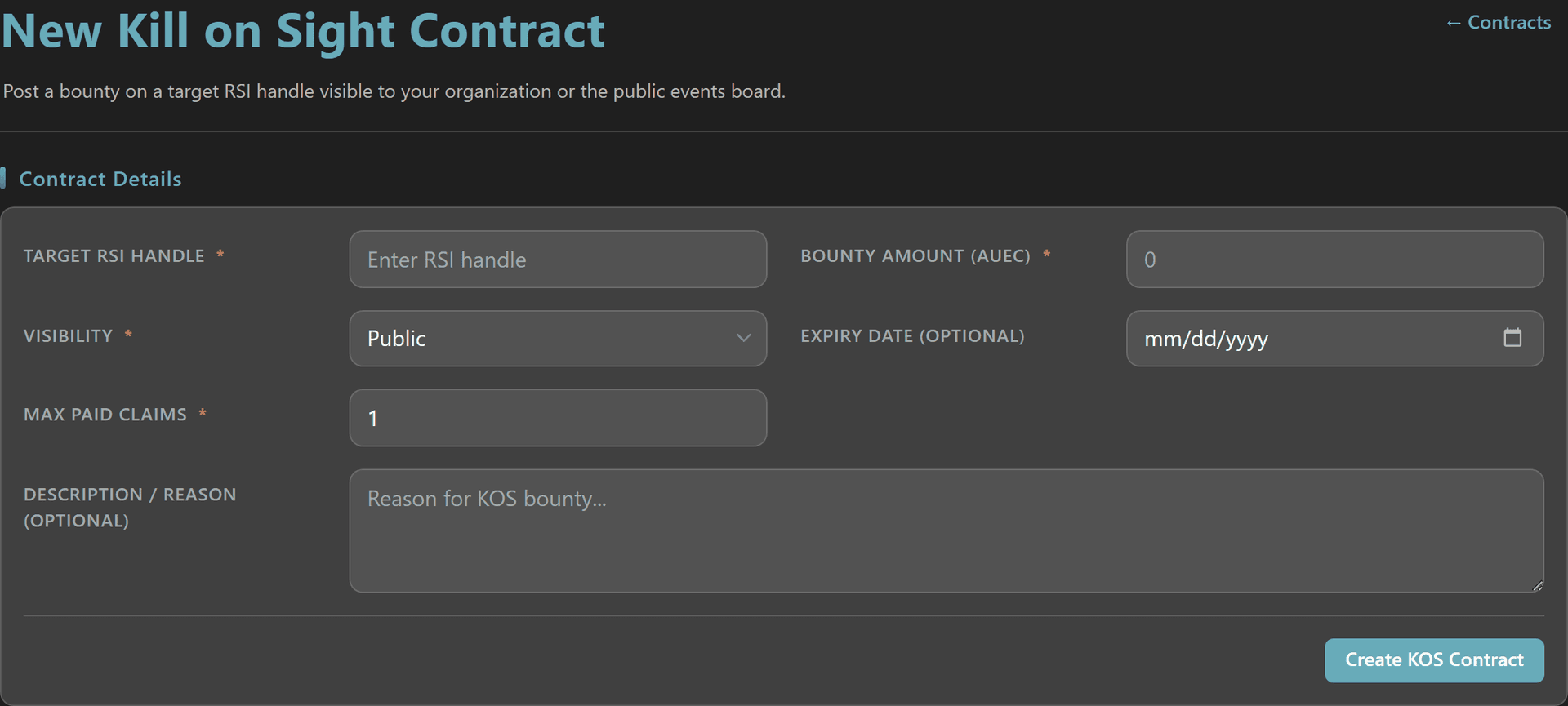
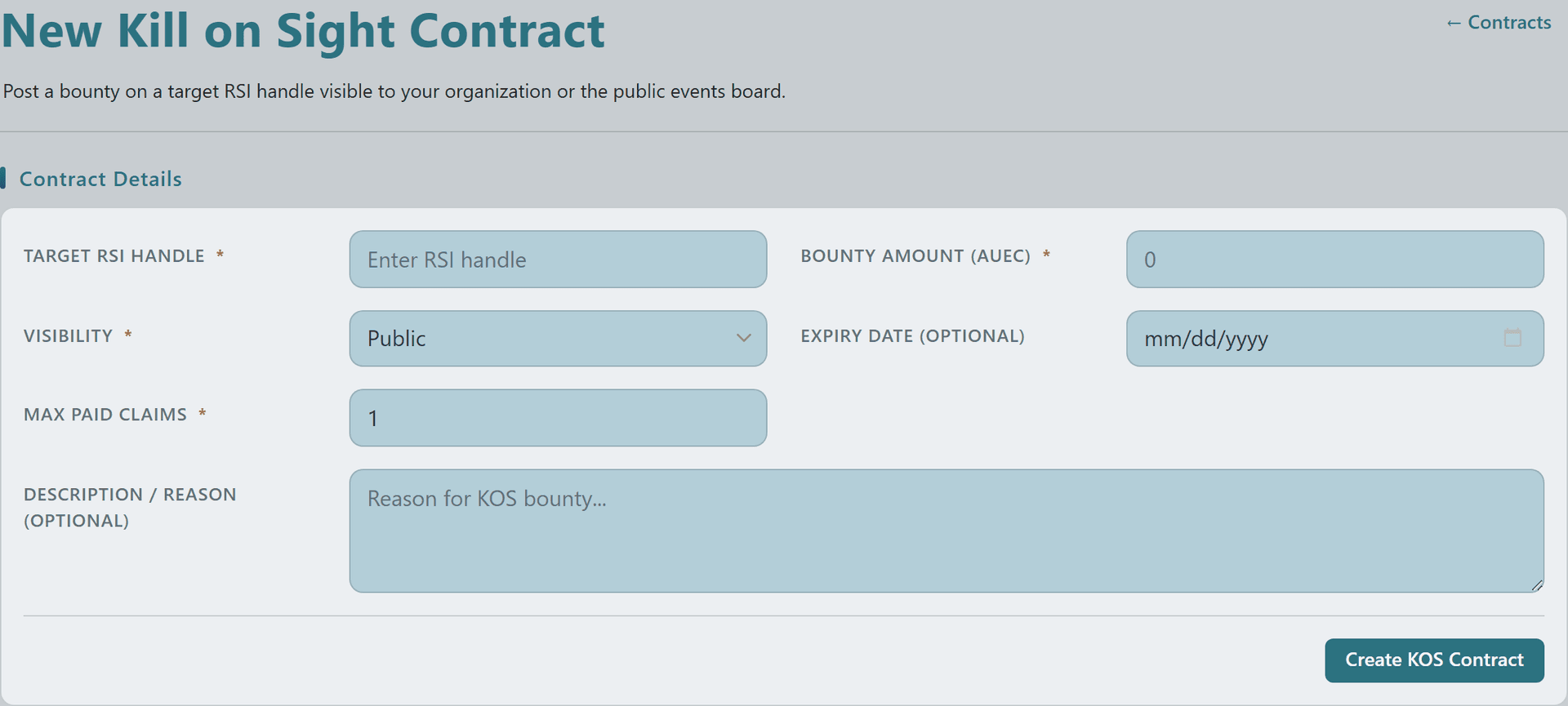
New Kill on Sight Contract form with target RSI handle, bounty amount, visibility, expiry date, max paid claims, and description fieldsNew Kill on Sight Contract form with target RSI handle, bounty amount, visibility, expiry date, max paid claims, and description fieldsNew Kill on Sight Contract form with target RSI handle, bounty amount, visibility, expiry date, max paid claims, and description fieldsNew Kill on Sight Contract form with target RSI handle, bounty amount, visibility, expiry date, max paid claims, and description fields
3

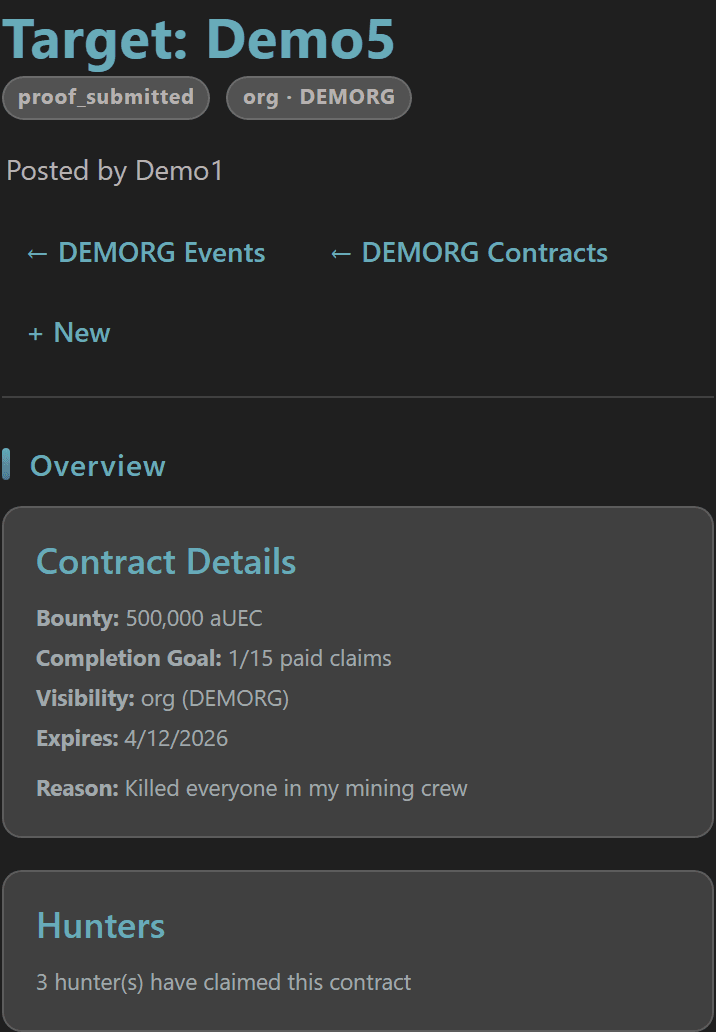
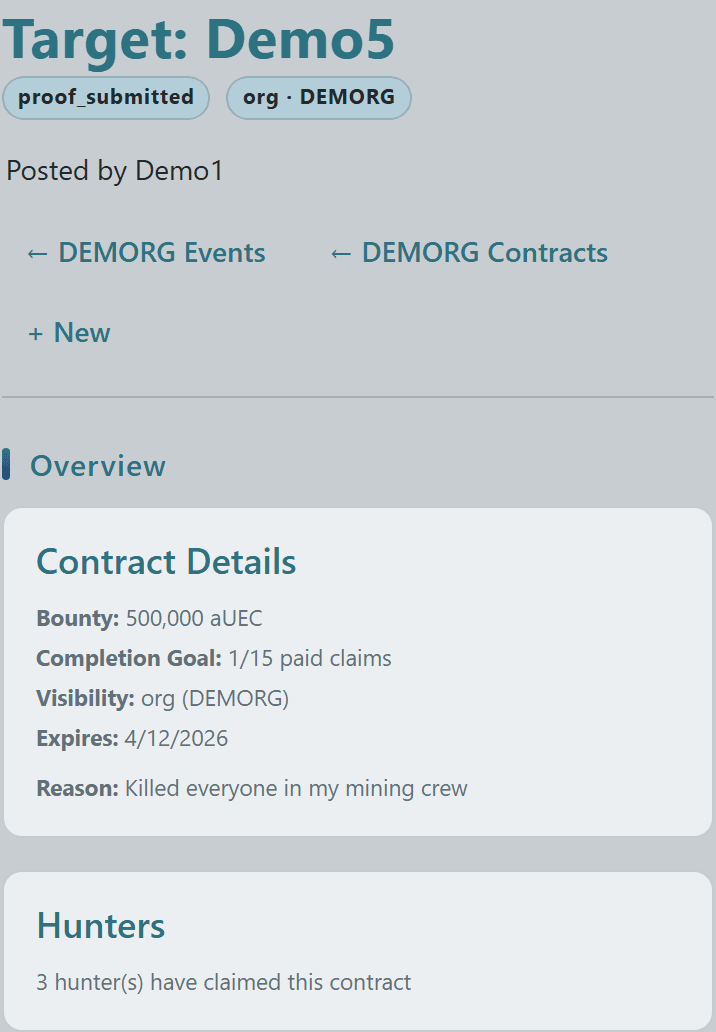
Once posted, the contract detail page leads with the target handle and current status (proof_submitted, claimed, paid), the visibility scope (org or public), and the owner who put up the bounty.

An Overview card shows Bounty amount, Completion Goal (paid claims / max), Visibility, Expires date, and the Reason — alongside a Hunters card with a live count of how many hunters are working the contract.
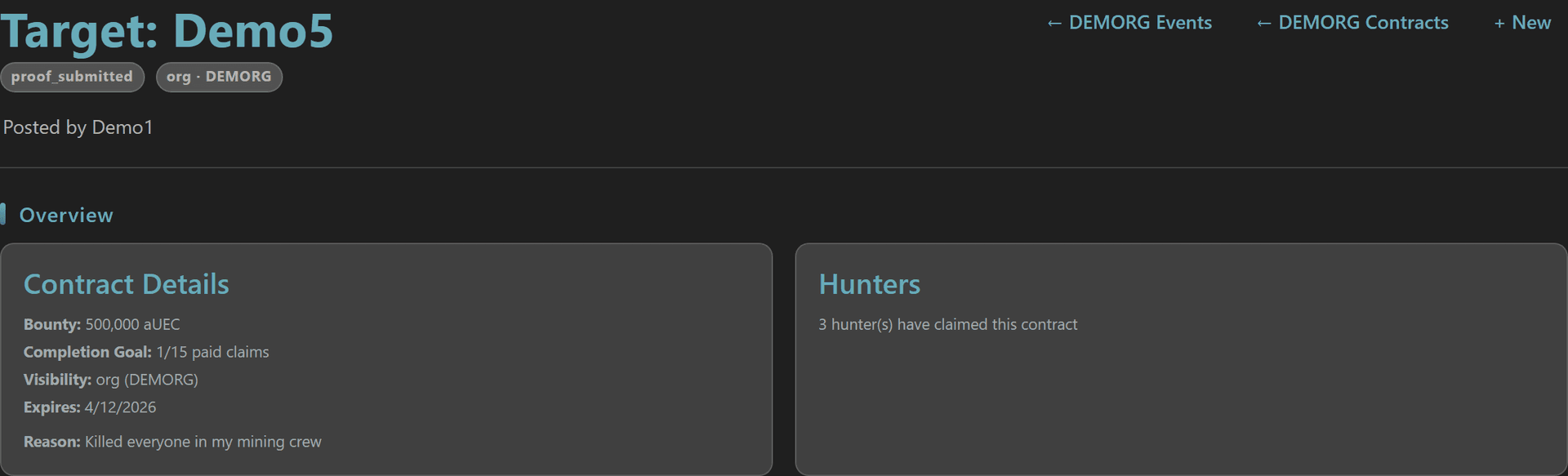
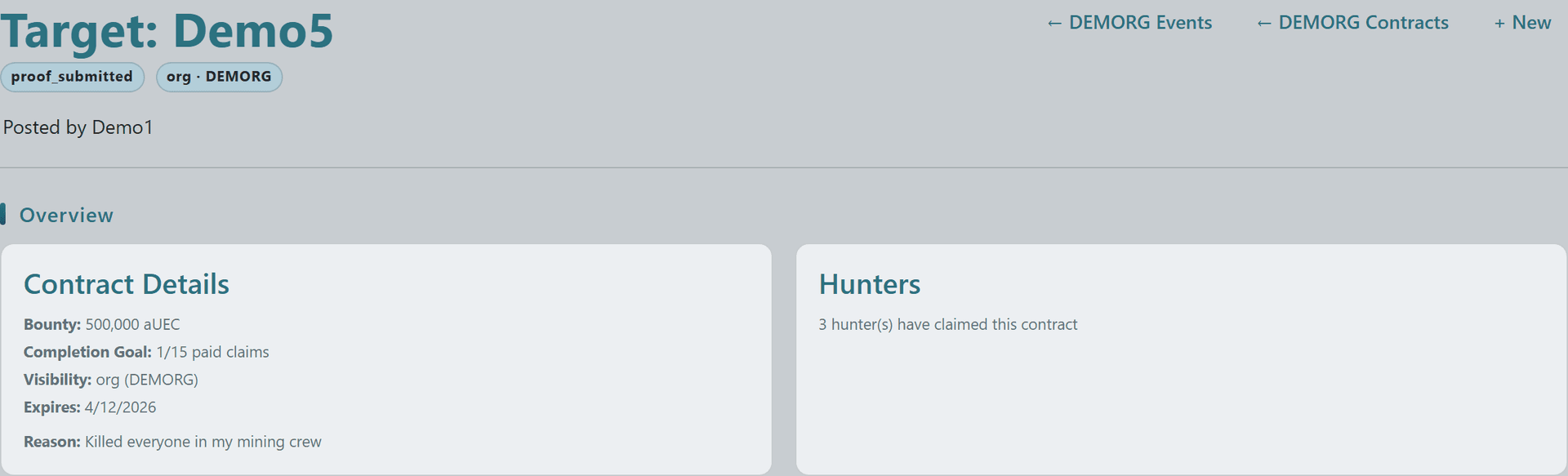
KOS Contract detail header with target handle, status badge, scope badge, and Overview card showing bounty, completion goal, visibility, expiry, and reasonKOS Contract detail header with target handle, status badge, scope badge, and Overview card showing bounty, completion goal, visibility, expiry, and reasonKOS Contract detail header with target handle, status badge, scope badge, and Overview card showing bounty, completion goal, visibility, expiry, and reasonKOS Contract detail header with target handle, status badge, scope badge, and Overview card showing bounty, completion goal, visibility, expiry, and reason
5

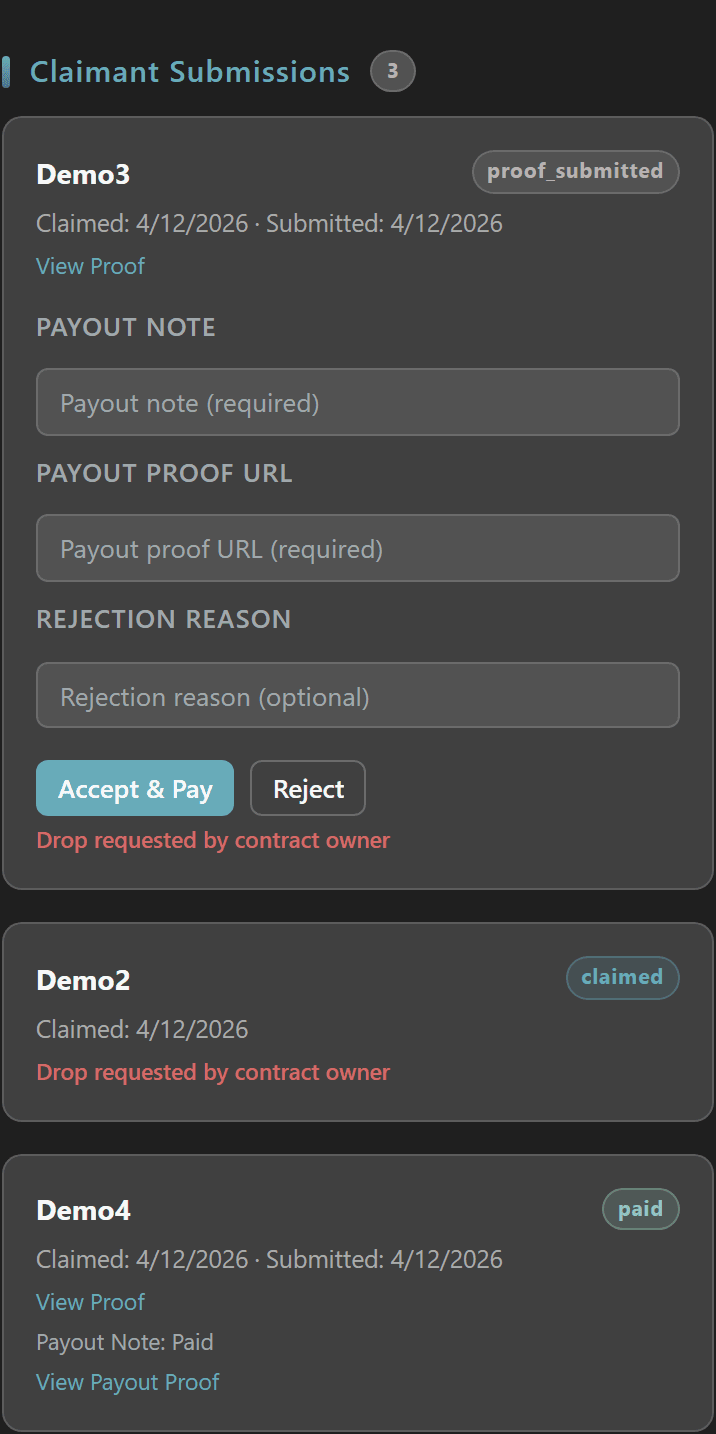
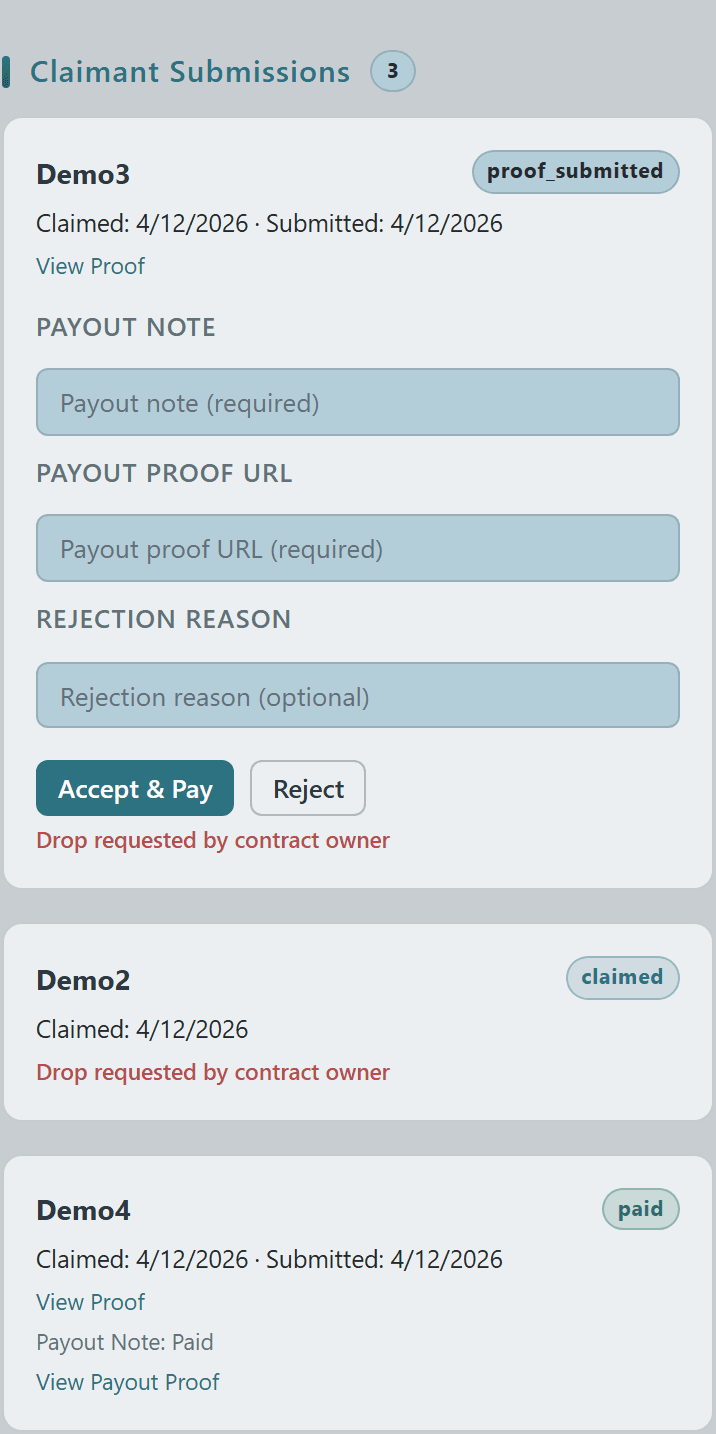
Every hunter who claims the contract appears as a card in the Claimant Submissions section — Demo3 has submitted proof and is awaiting review, Demo2 is claimed but had a drop request opened by the owner, and Demo4 has already been paid.

Claimants submit Imgur screenshot or video proof through Crusader Cloud; the owner reviews each one inline (View Proof link), accepts the payout with a Payout Note + Payout Proof URL, or rejects with a reason — once the Max Paid Claims limit is hit the contract closes automatically.
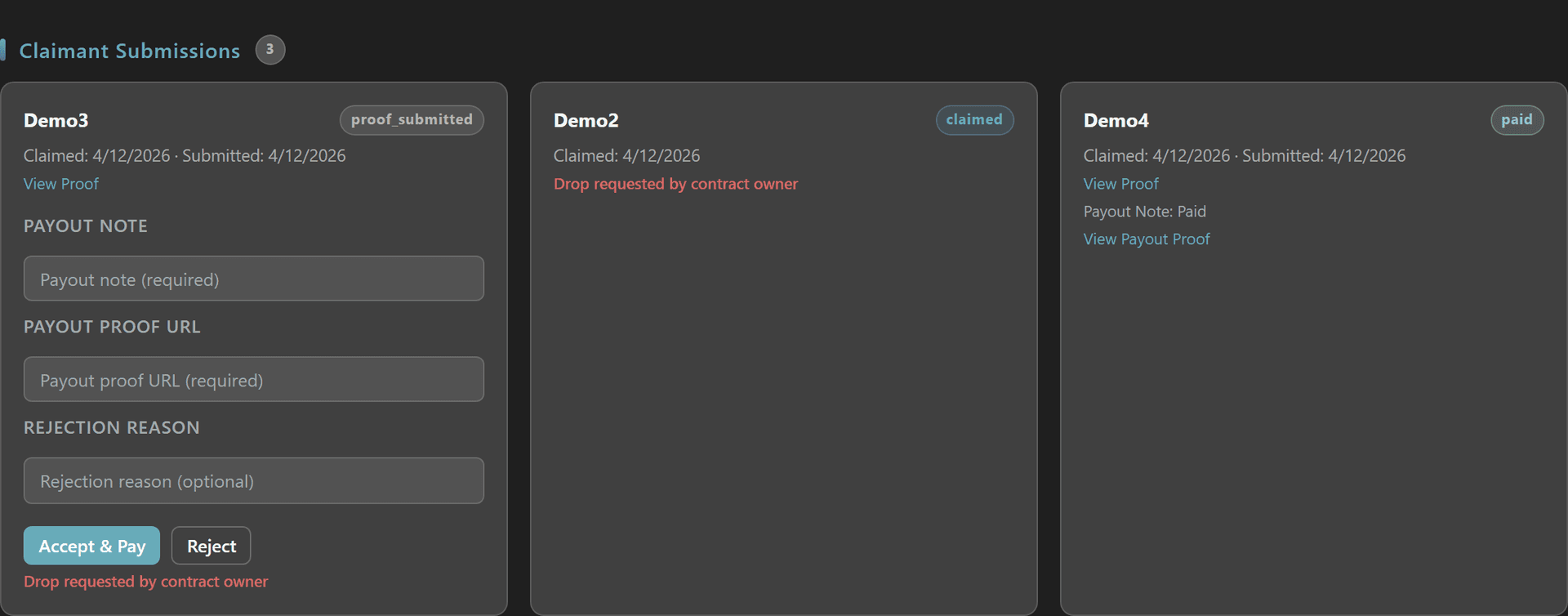
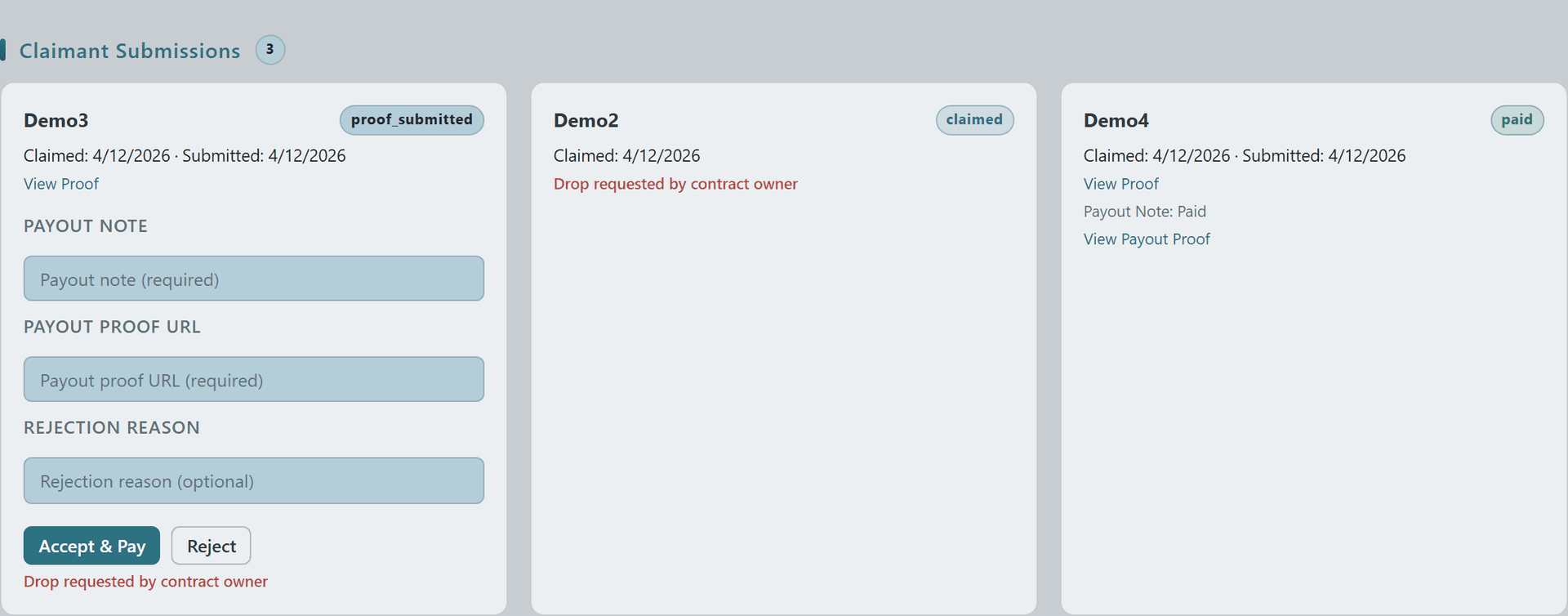
KOS Claimant Submissions section with three hunter cards in proof_submitted, claimed (drop requested), and paid states plus owner Accept & Pay / Reject controlsKOS Claimant Submissions section with three hunter cards in proof_submitted, claimed (drop requested), and paid states plus owner Accept & Pay / Reject controlsKOS Claimant Submissions section with three hunter cards in proof_submitted, claimed (drop requested), and paid states plus owner Accept & Pay / Reject controlsKOS Claimant Submissions section with three hunter cards in proof_submitted, claimed (drop requested), and paid states plus owner Accept & Pay / Reject controls
© 2026 Crusader Cloud
This is an unofficial fansite. Not affiliated with or endorsed by Cloud Imperium Games / Roberts Space Industries