Feature

Org Treasury

Step-by-step walkthrough of how this Crusader Cloud feature works.

1

Designate one citizen as the org's Treasury Holder.

Contract payouts are configurable to include tax transfer amounts directed to this in-game account so your members always know who to send aUEC to — no more "who has the org wallet this week?" in Discord.


Treasury Account banner naming the in-game wallet holderTreasury Account banner naming the in-game wallet holderTreasury Account banner naming the in-game wallet holderTreasury Account banner naming the in-game wallet holder
3

The Running Balance at the top of the Treasury page is the live source of truth for your org's aUEC.

Every logged transaction updates it instantly — replacing the spreadsheet you used to keep in Google Sheets or Discord pins.


Running balance card showing org aUEC totalRunning balance card showing org aUEC totalRunning balance card showing org aUEC totalRunning balance card showing org aUEC total
5

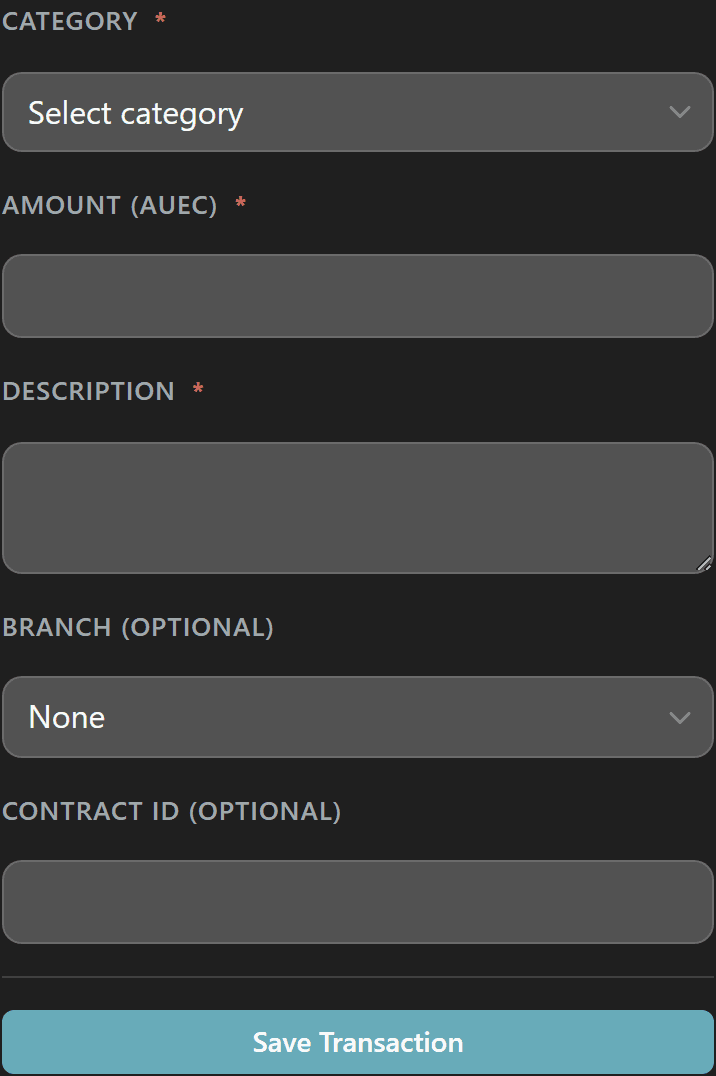
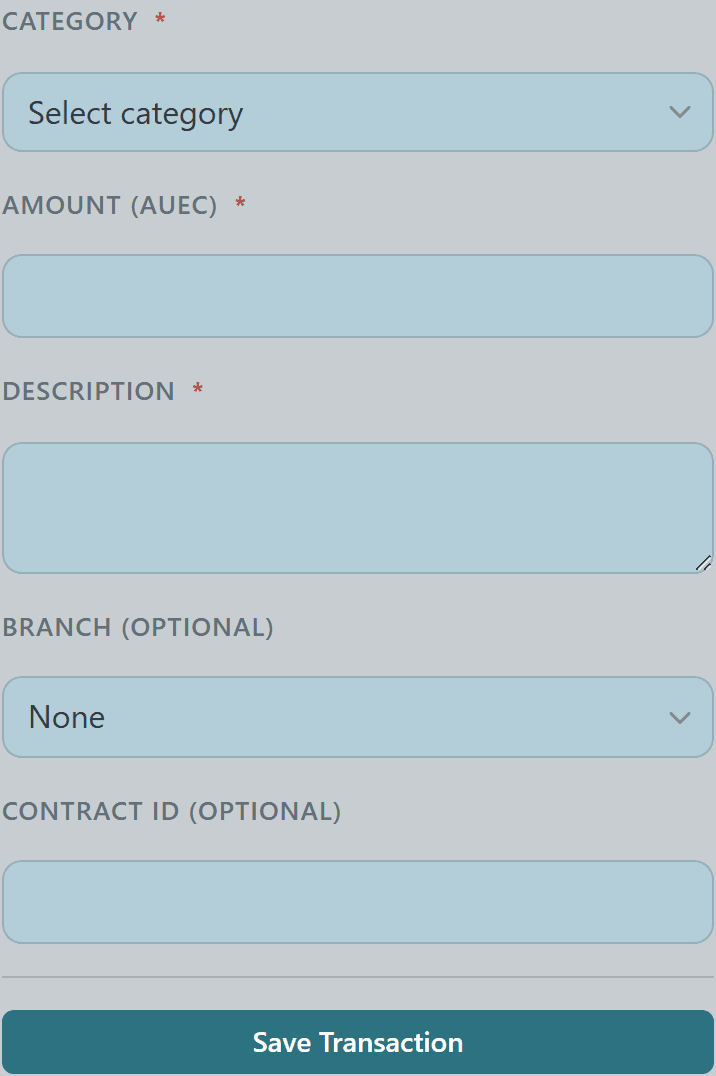
Click Log Transaction to record income, expenses, payouts, or member contributions in a structured form.

Each entry is categorized, optionally tied to a branch, and described — keeping your ledger auditable and your filters meaningful.
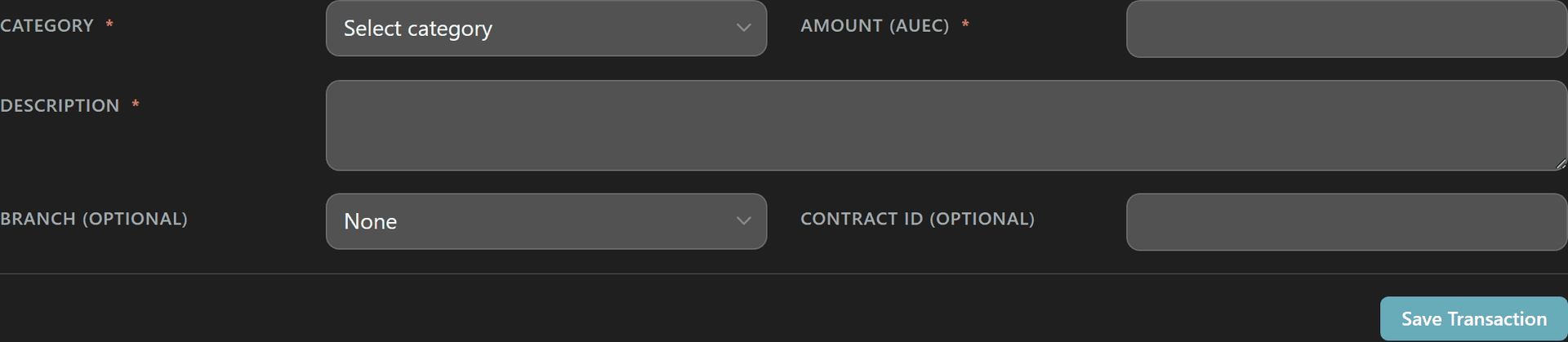
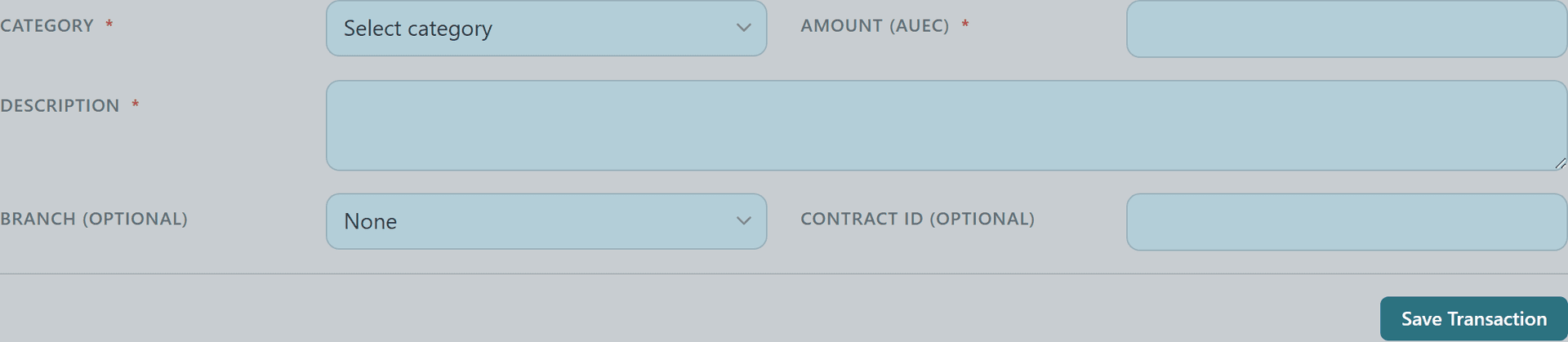
New transaction form with category, amount, branch, and description fieldsNew transaction form with category, amount, branch, and description fieldsNew transaction form with category, amount, branch, and description fieldsNew transaction form with category, amount, branch, and description fields
7

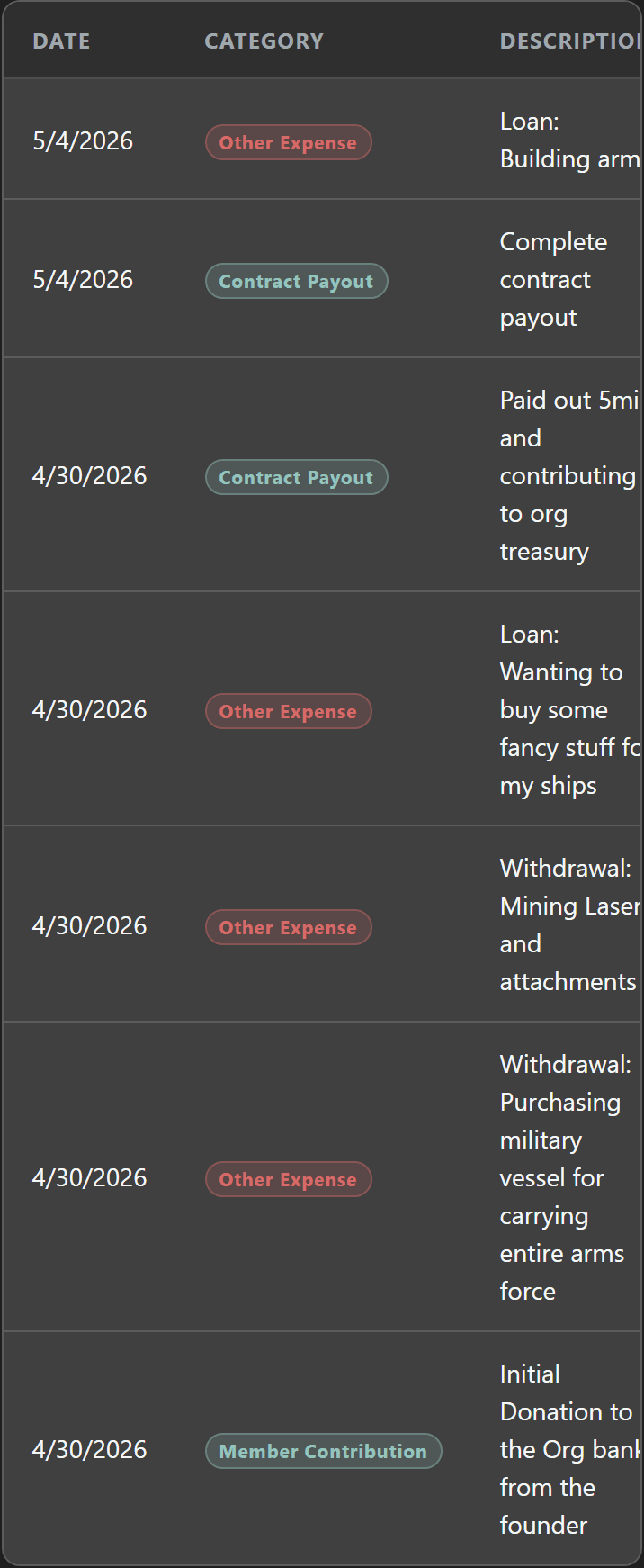
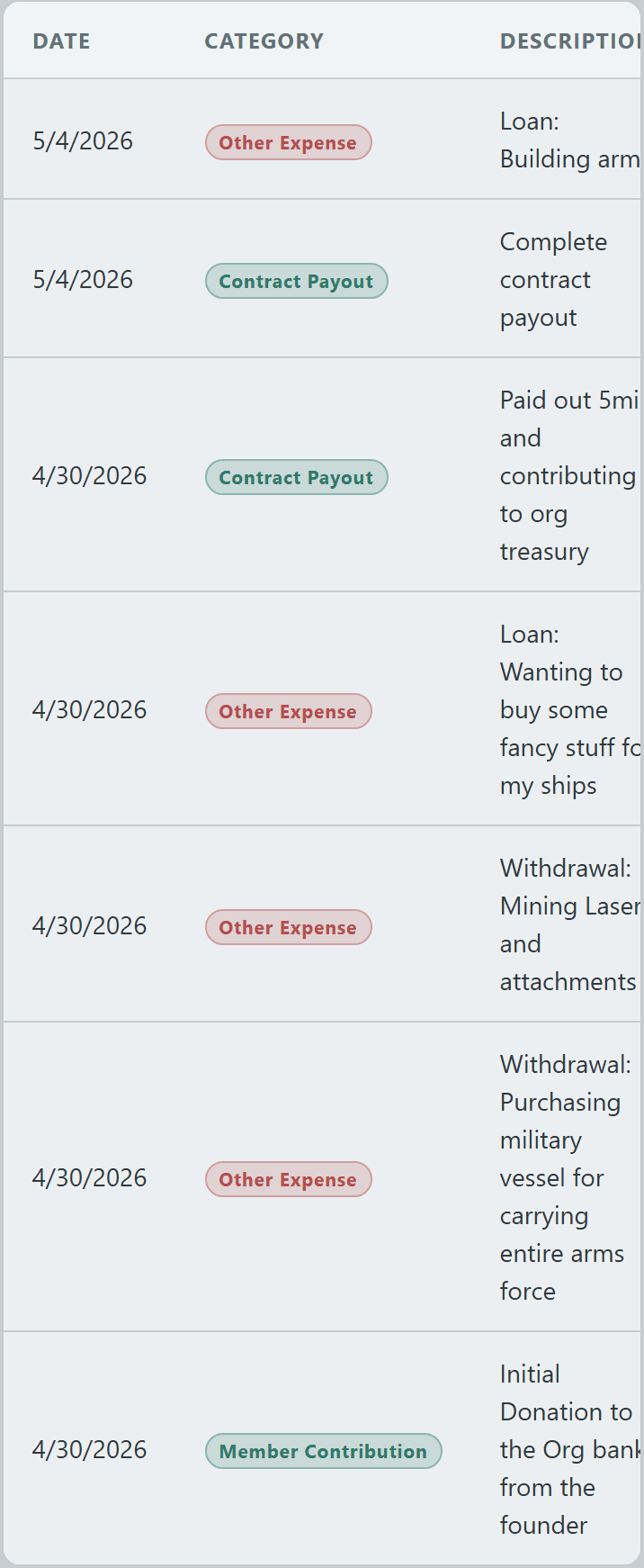
The full transaction history is filterable by category and branch, so you can audit a single branch's spending or roll up income across the org.

Every entry records who logged it and when — perfect for end-of-month reviews or settling a branch leader's share.
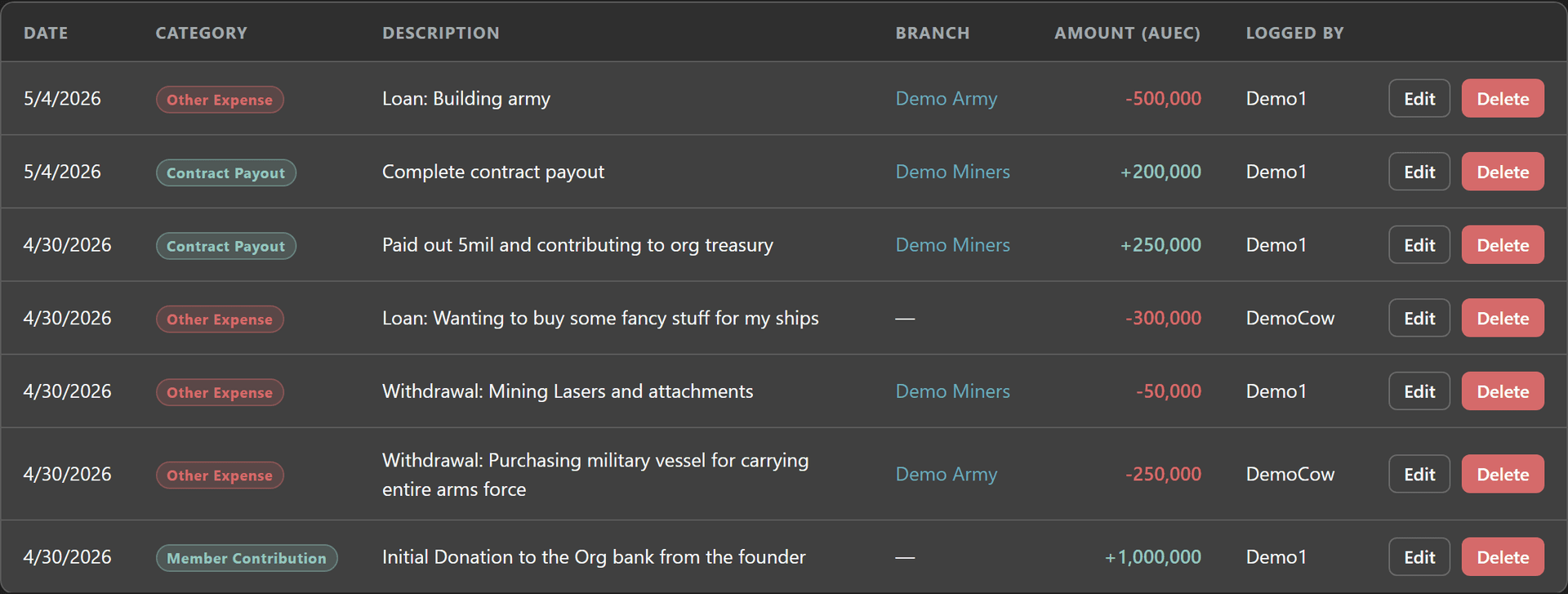
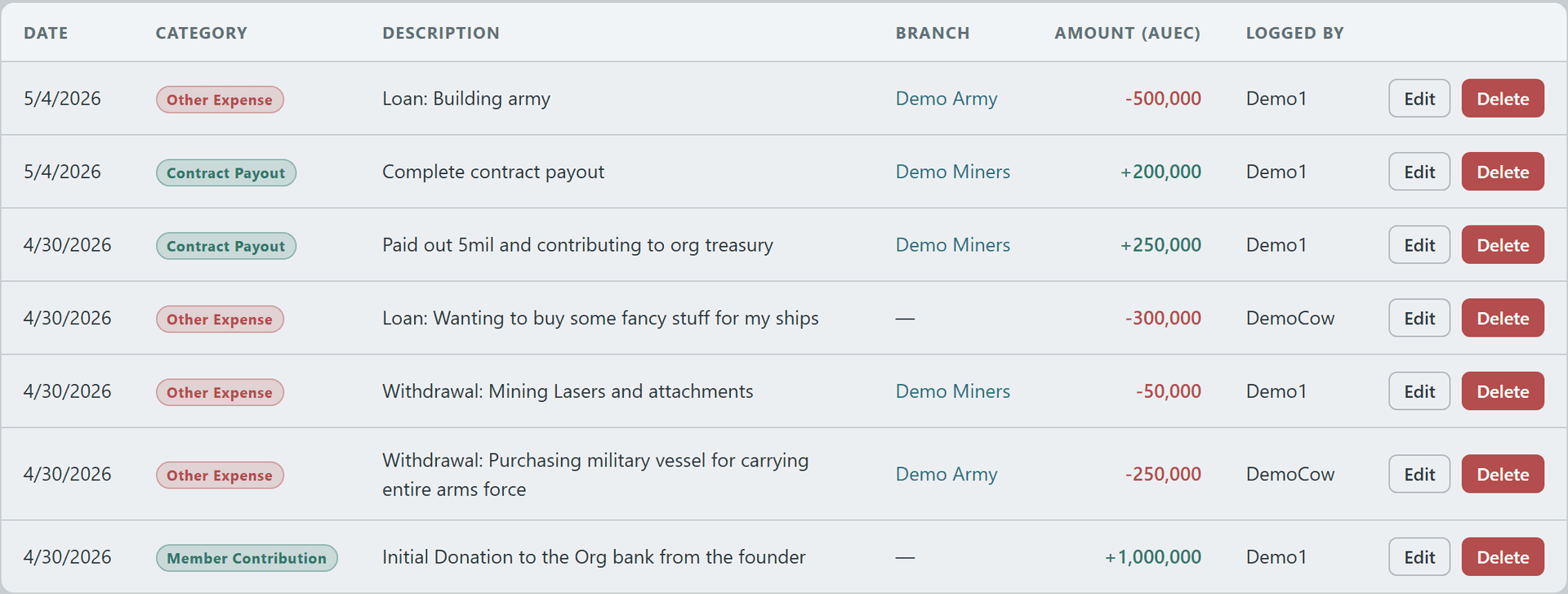
Filterable transaction ledger with category, branch, amount, and logged-by columnsFilterable transaction ledger with category, branch, amount, and logged-by columnsFilterable transaction ledger with category, branch, amount, and logged-by columnsFilterable transaction ledger with category, branch, amount, and logged-by columns
9

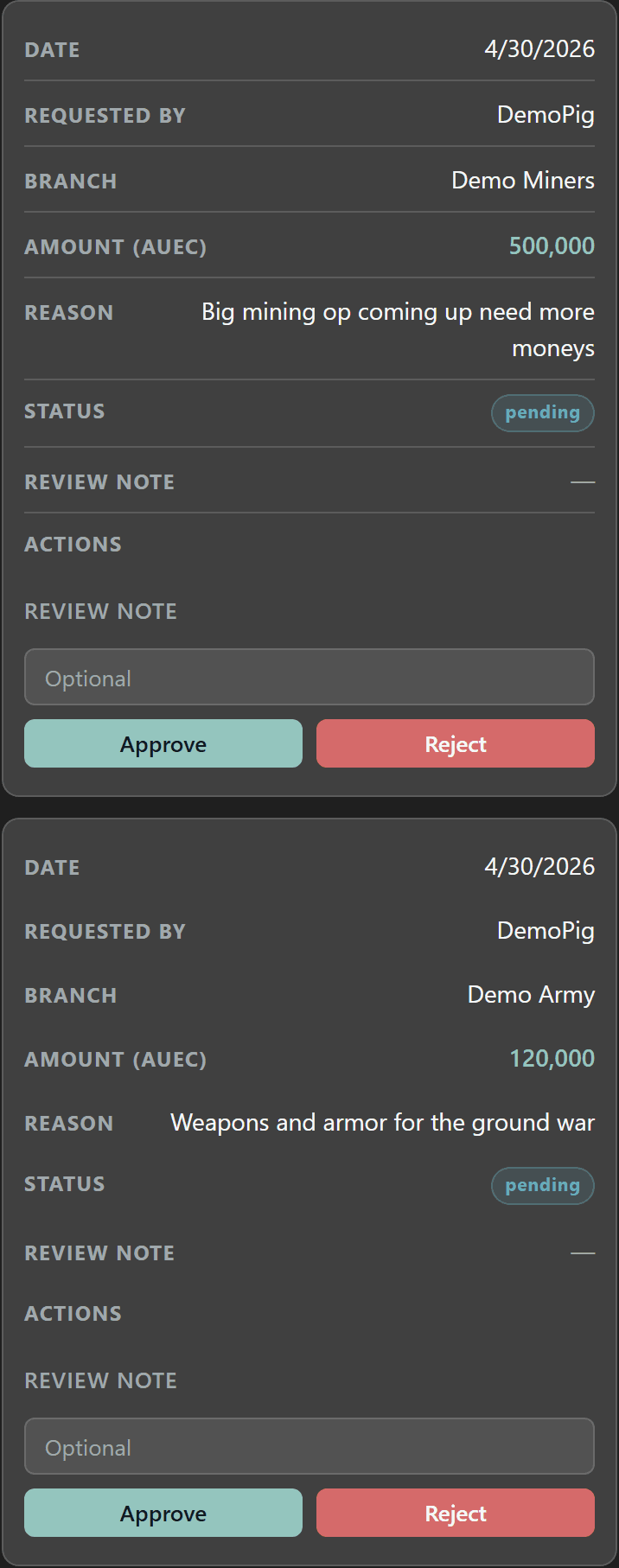
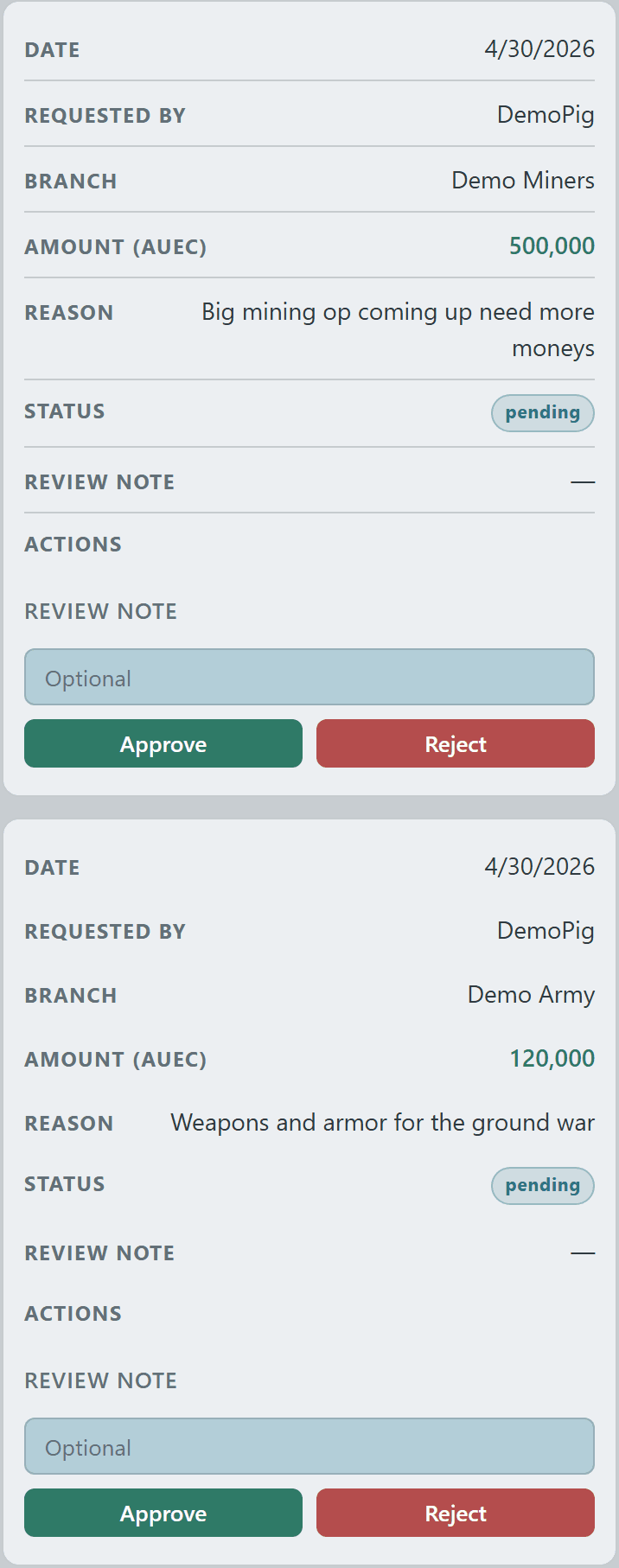
Members granted the Request Treasury Loan permission can submit loan requests directly through Crusader Cloud rather than DM-spamming admins.

Requests enter an approval queue where admins review, approve, or deny each one — keeping your treasury accountable and audit-ready.
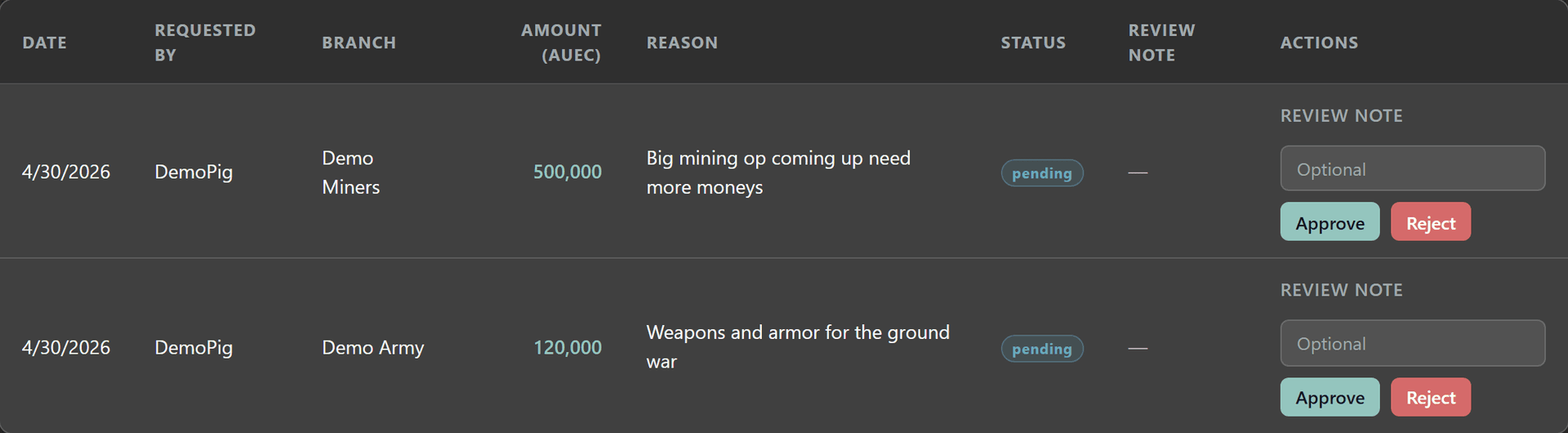
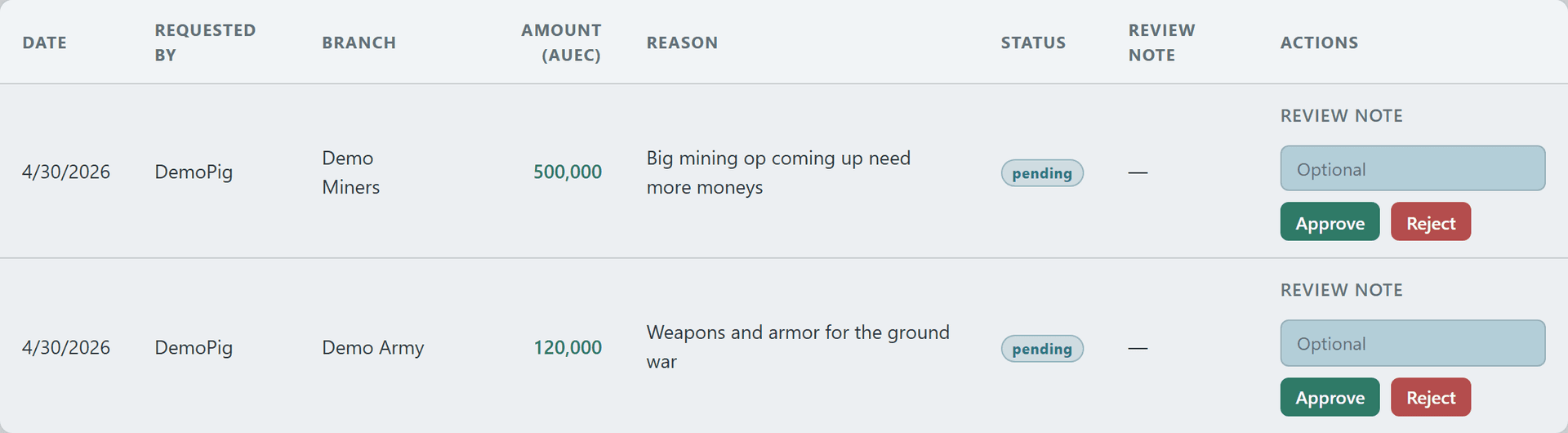
Pending loan request queue with approve and deny actionsPending loan request queue with approve and deny actionsPending loan request queue with approve and deny actionsPending loan request queue with approve and deny actions
© 2026 Crusader Cloud
This is an unofficial fansite. Not affiliated with or endorsed by Cloud Imperium Games / Roberts Space Industries